Build your stack in order. Each card locks immediately and advances to the next position.
0101
INPUT CARD 01SELECT VALUE
VALUESUIT
0 OF 52 CARDS
VERIFY ALL 52 CARDSTap any card to correct it before saving.
DUPLICATE CARD DETECTED
7♦ IS ALREADY CARD 03
A stack can contain each card only once.
MODE
CHOOSE DIFFICULTY
VERSION 0.9.1 · BUILD 265
MEMORY FORTRESS SYSTEMS
SAVE OR UPLOAD DATA
Save a backup file or upload one to restore your player data.
Backups include custom stacks, campaign progress, high scores, settings, and learning history stored on this device.
MEMORY FORTRESS SYSTEMS
COMMAND MENU
MEMORY FORTRESS UPDATENEW VERSION AVAILABLEThe new version has finished downloading. Update now to activate it and restart Memory Fortress.
DISPLAY CONFIGURATION
CHOOSE YOUR SCREEN
Gameplay stays identical. Only the size of the command interface changes.
SELECT YOUR SHIP
All ships use the same cards and scoring. INPUT SPEED is how quickly you can enter a card: FORTRESS has the largest, easiest buttons; STRIKE balances size and speed; INTERCEPTOR is fastest, with tighter controls.
Resume your campaign or begin with any card you are currently learning.
EMERGENCY TRANSMISSION
WE ARE UNDER ATTACK
TAP TO DISMISS
FORTRESS ONLINE
PHASE COMPLETE
All 13 memory positions are secure.
THIS RUN0BUILD 00:00.0 · RAIDERS 00:00.0NEW RECORD
TOP 3 MISSIONS · SCROLL FOR RESULTS ↓
Replay this sector and try for a higher score.
Run a short unscored targeting drill.
HOW TO PLAY · 1 OF 3
WE’RE UNDER ATTACK
Build the fortress! Match the corresponding card with the number it is in the stack.
SCROLL DOWN FOR DETAILS ↓
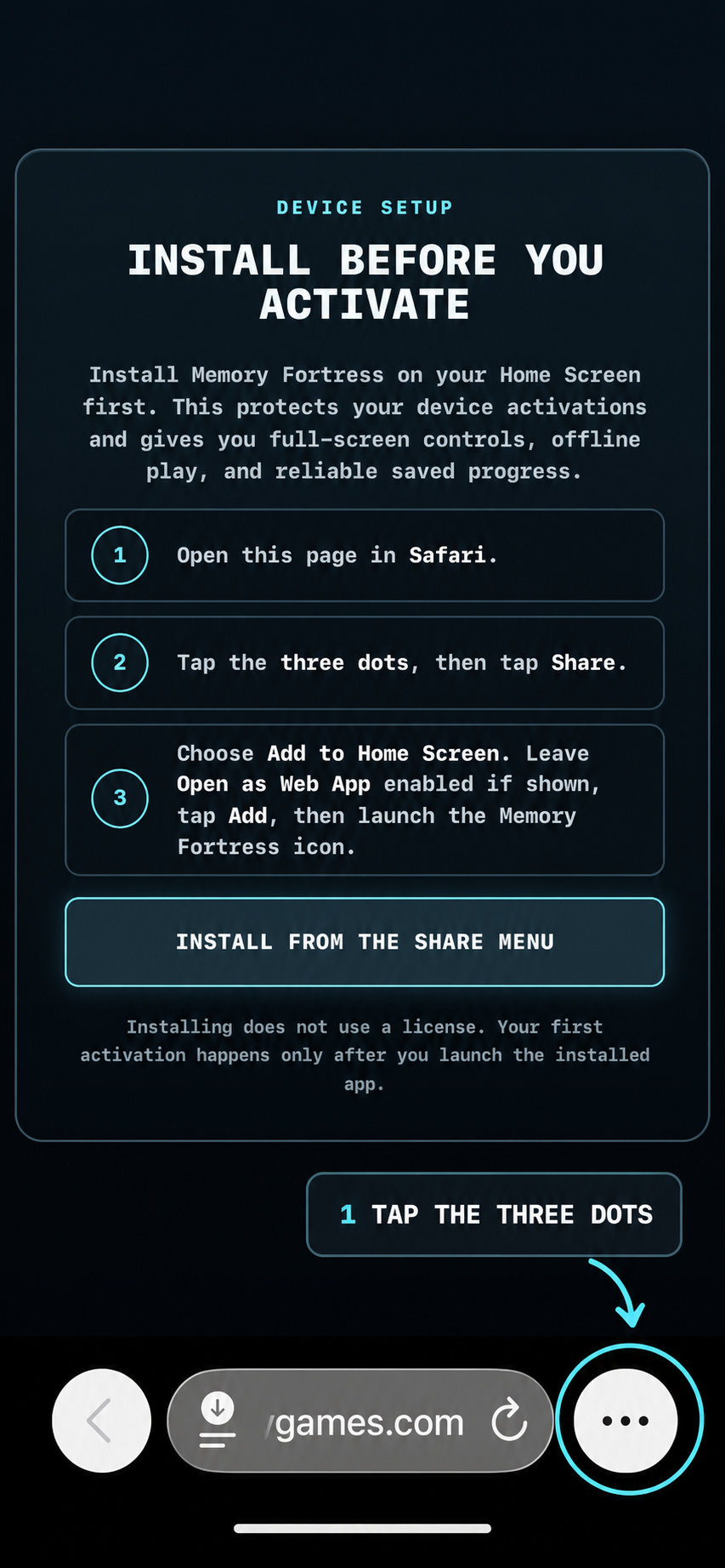
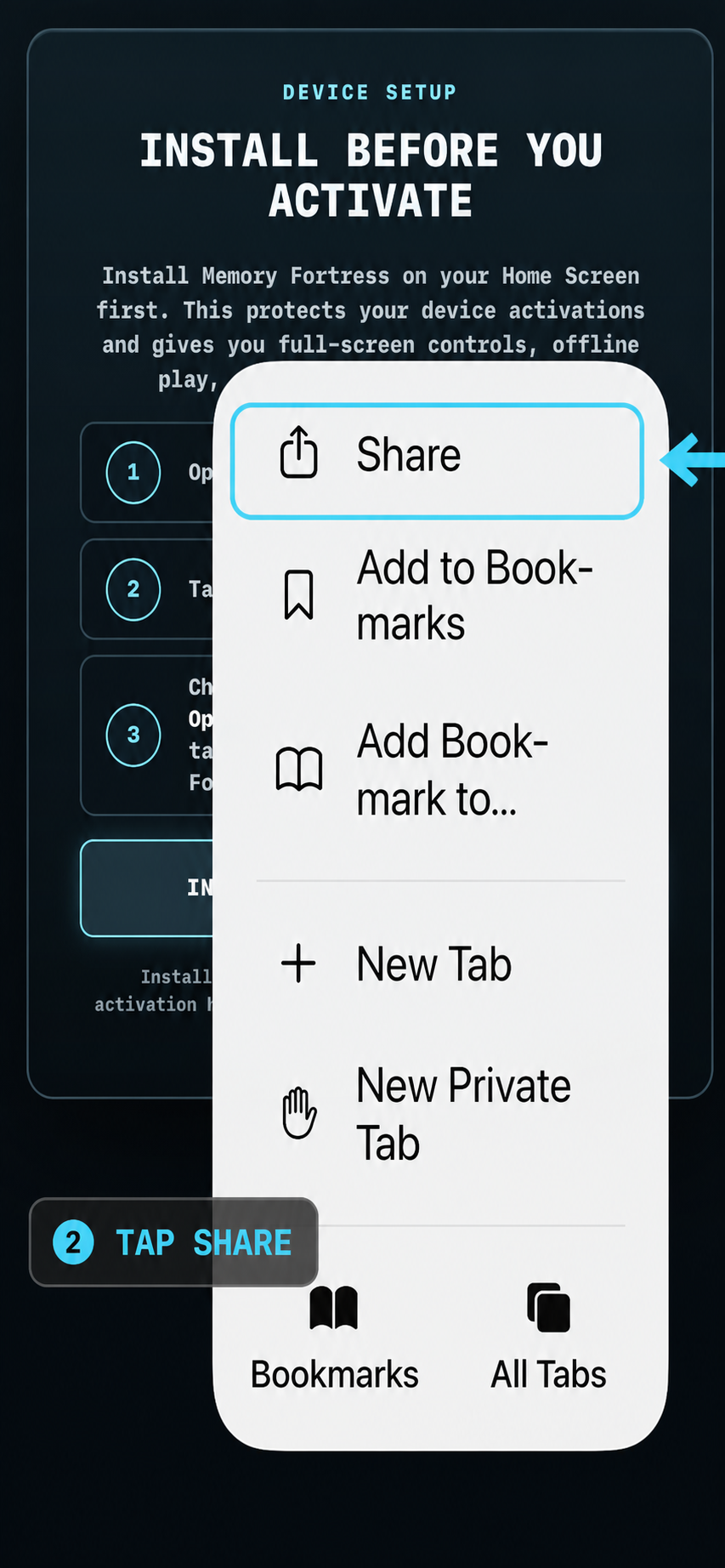
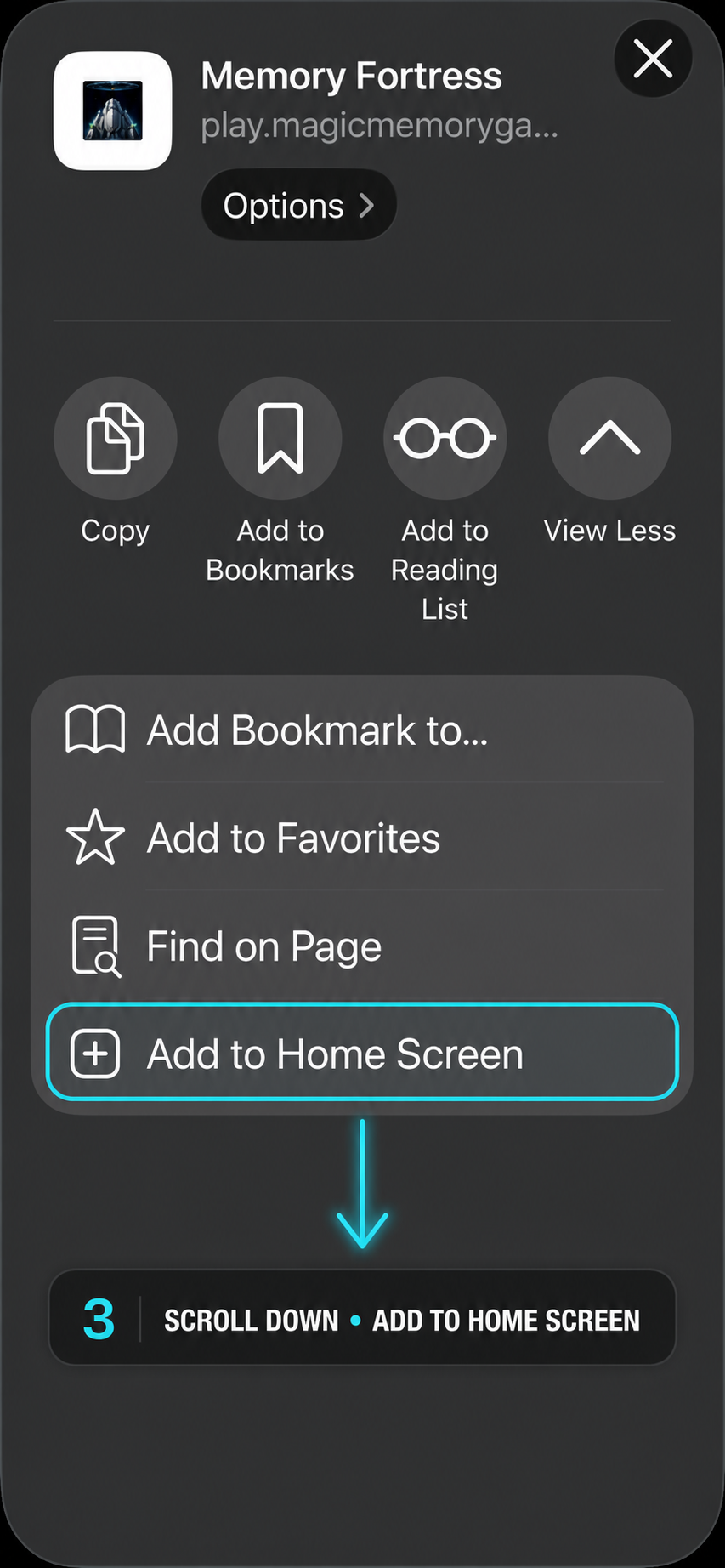
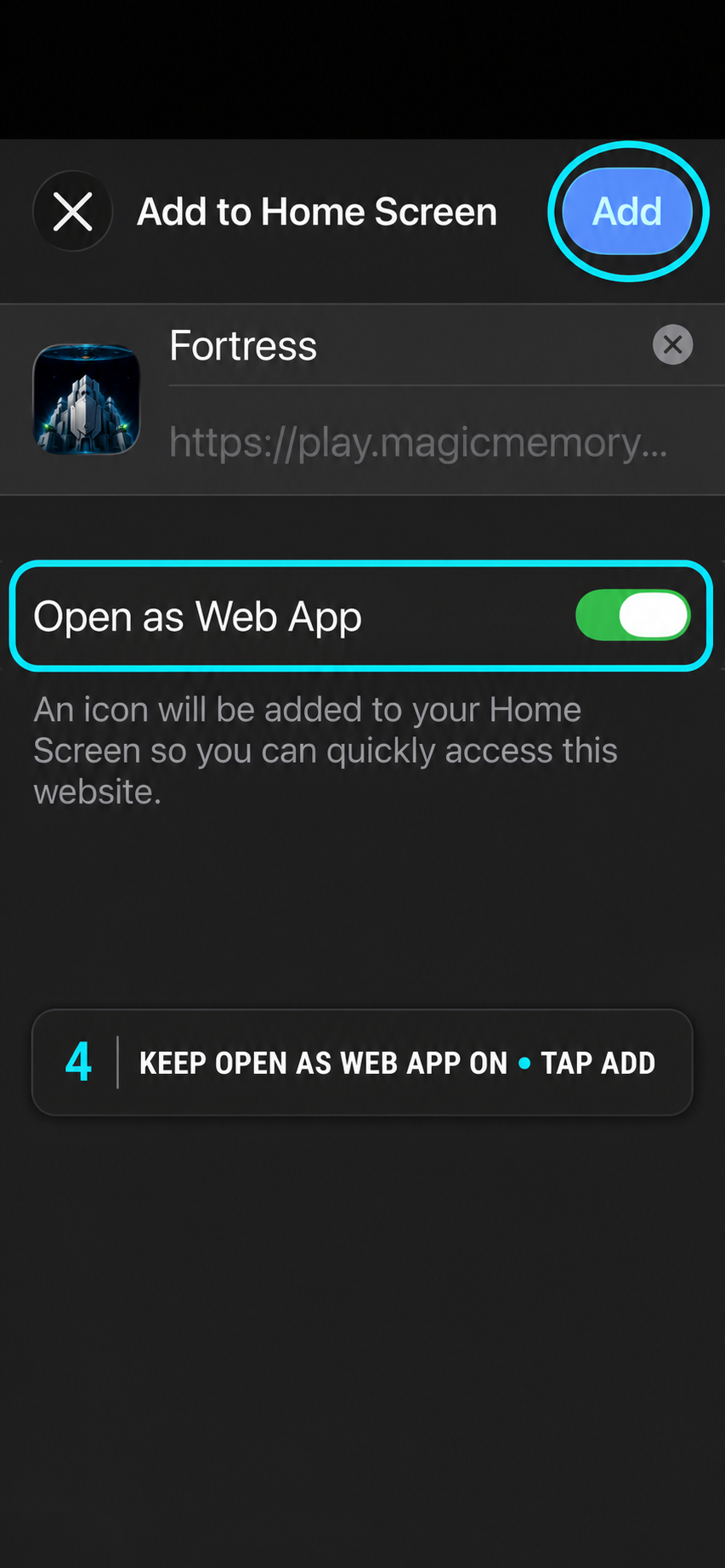
Follow the four Safari steps below, then launch Memory Fortress from its Home Screen icon.
INSTALL FROM CHROMETap the ⋮ browser menu and choose INSTALL APP. If Chrome shows INSTALL AND CREATE SHORTCUT, open it and choose INSTALL - not Create shortcut.